


A morning report you can read at a glance
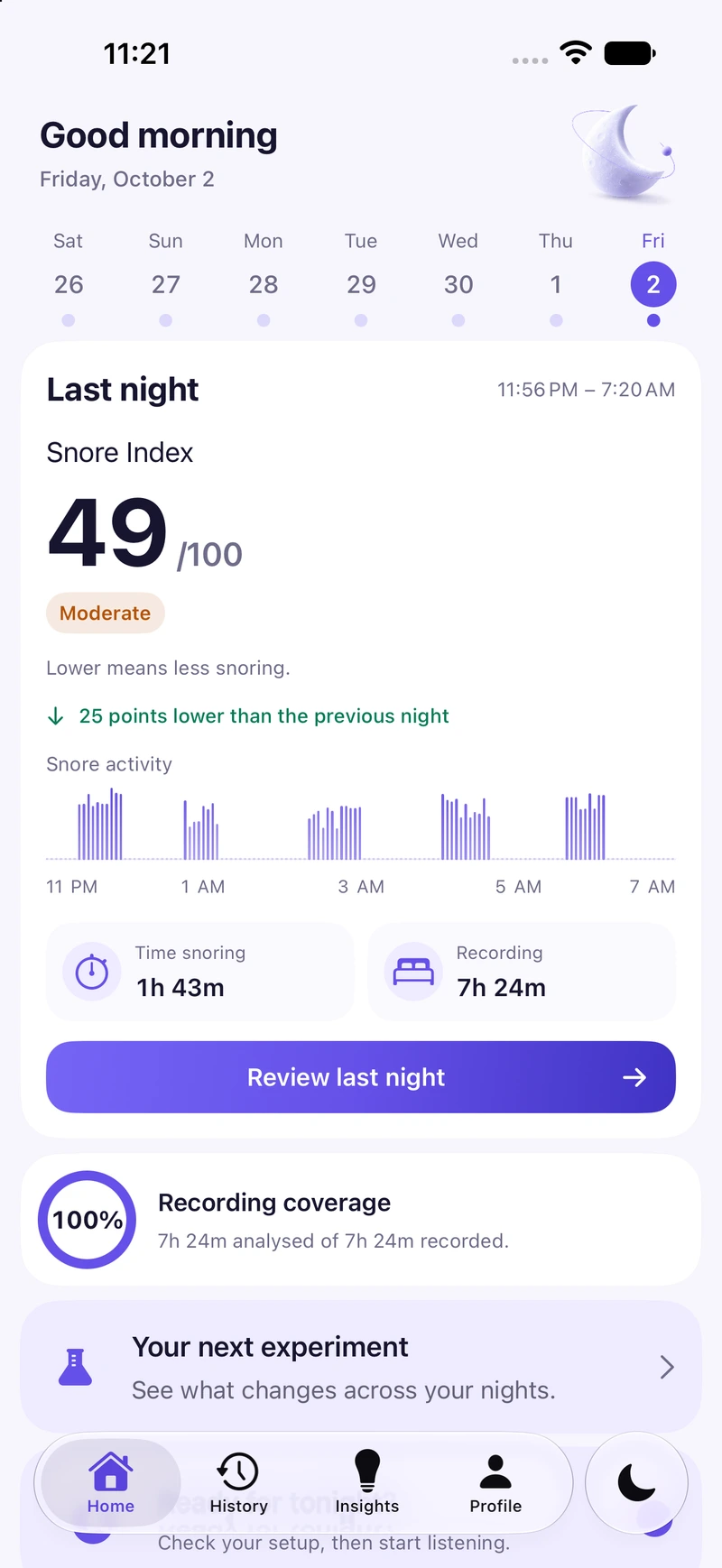
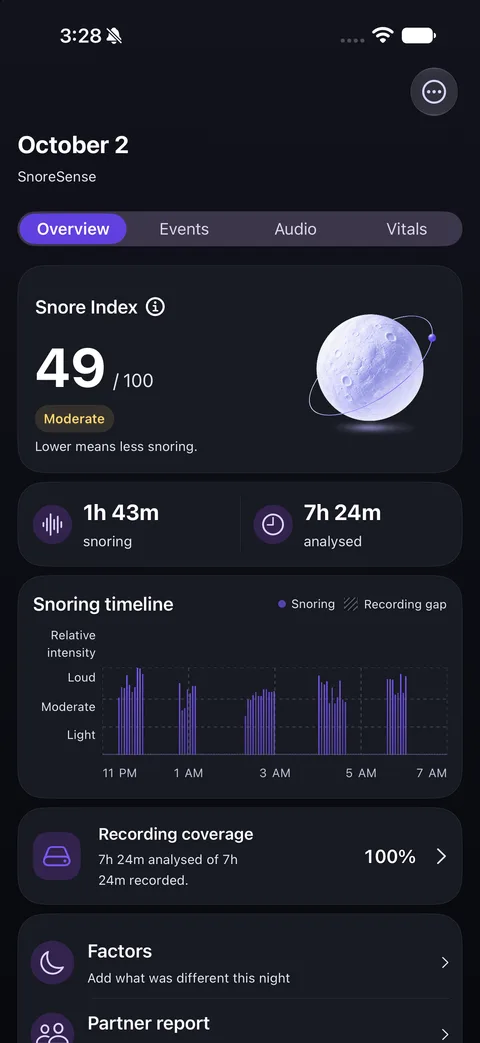
Your Snore Index, time spent snoring, how much of the night was recorded, and the moments worth a listen.
24Snore IndexLower means less snoring
Recorded7h 32m
Snoring48m
Coverage100%
SnoreSense listens while you sleep, saves the moments that sound like snoring, and has a calm report ready in the morning — so you can see what's really happening at night.
One night, four quiet moments. Place your iPhone beside the bed, then let SnoreSense do the listening.
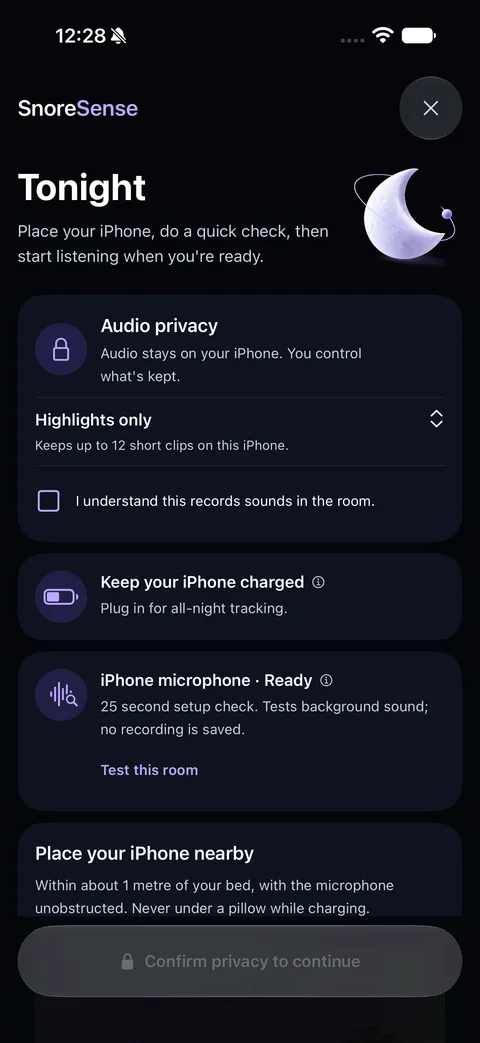
Choose what audio to keep, plug in your iPhone, and run a 25-second room check. Nothing is uploaded.
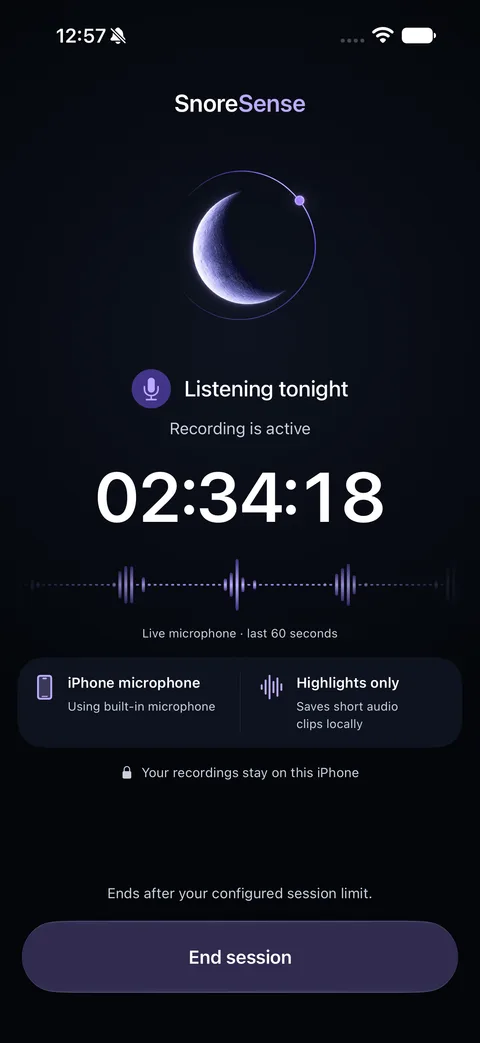
Lock your phone and go to sleep. Audio is analyzed on the device, and likely-snoring moments are saved as short clips.
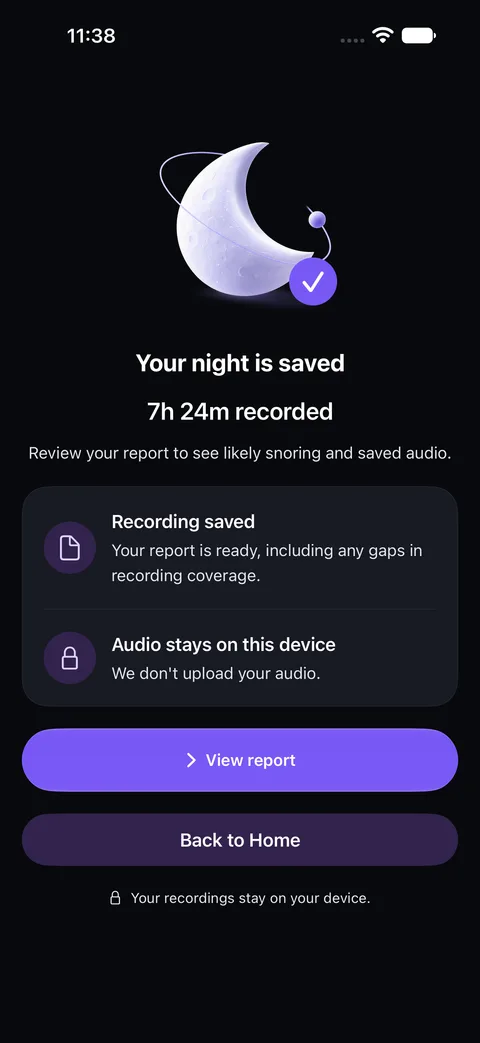
End the session and your night is saved, with any gaps in recording clearly marked.
See your Snore Index and snoring timeline, play back highlights, and note what was different.
Simple tools to record, review, and understand your own nights — without turning bedtime into a project.
Your Snore Index, time spent snoring, how much of the night was recorded, and the moments worth a listen.
Likely-snoring moments saved as short clips.
Compare this week with the last.
Try one change and compare nights with and without it.
Tag what was different, so comparisons mean something.
Any night as a PDF, all data as JSON. Free, never with audio.
Last night at a glance, or start tonight in one tap.
Add sleep and respiratory context from Apple Health. No data for a night? SnoreSense shows nothing rather than guessing.
Jump straight to the clips behind your report, and tell SnoreSense what you actually hear.
Go straight to the retained moments from last night.
Mark a clip as snoring, another sound, or not you. Your corrections update your report.
Highlights by default, full nights with Pro, auto-deleted after 7, 30, or 90 days.
Try one personal change at a time and compare the nights with it against the nights without.
Seven nights free; 30 and 90-day views with Pro.
SnoreSense keeps count and shows how confident a difference looks.
Patterns show what tends to go together — not proof of cause.
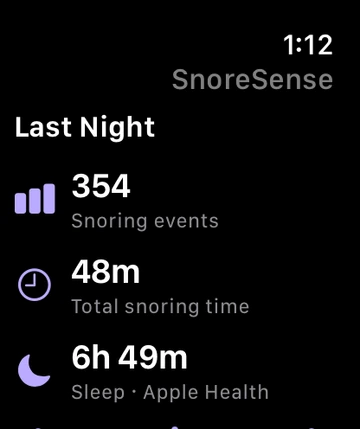
Check that tonight's session is running, end or resume it without reaching for your phone, and glance at last night's summary in the morning.
See that recording is active, then end or resume the session from your wrist.
Last night's highlights and context, at a glance.
Your iPhone records the audio. The Watch doesn't use its microphone.
SnoreSense analyzes audio on your iPhone. The app doesn't send your recordings, reports, or Health data to us — there's no SnoreSense server holding your nights.
Highlights by default. Audio auto-deletes after 7, 30, or 90 days.
Remove a clip, a night, all audio, or every saved observation.
Nothing leaves your iPhone unless you export or share it yourself.
SnoreSense helps you notice and compare. If you're concerned about breathing pauses, gasping, or daytime sleepiness, talk to a healthcare professional. Health & safety
The questions people ask most before their first night.
On your iPhone. Audio is analyzed on the device, and the clips you keep are saved in protected local files. SnoreSense doesn’t upload recordings.
No. Your iPhone does the recording. The Apple Watch companion is optional: it shows session status, lets you end or resume a session from your wrist, and shows last night’s summary.
Recording, morning reports, highlights, your last 7 nights, one experiment at a time, PDF reports, and data export are free. Pro adds unlimited history, 30 and 90-day trends, unlimited experiments, full-night audio, Apple Watch comparison, a multi-night clinician PDF, and advanced widgets.
SnoreSense can’t reliably tell who made a sound. Let anyone in the room know you’re recording, and mark clips as “Not me” or “Other sound” so they don’t count toward your report.
No. SnoreSense is a personal wellness tool. It doesn’t diagnose sleep apnea or any other condition, or recommend treatment. If you’re worried about your breathing or sleep, talk to a healthcare professional.
Put your iPhone by the bed tonight. Tomorrow, see what your night sounded like.
